Revisiting the easy-lb-proxy

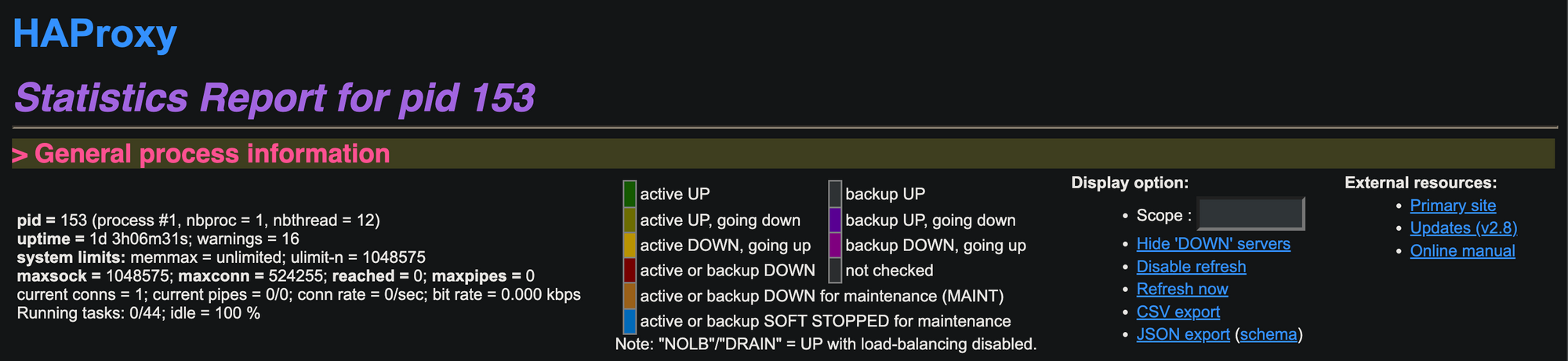
The easy-lb-proxy was a nice open source given by Miguel Grinberg to provide a simple way to deploy haproxy, confd using Docker. It was also used in the micro_flack demo presented by Miguel at PyCon 2017 on May 17th, 2017. However, it is 6 years since last commit was pushed to the source-code repository. Thus, some modifications are required if we want to apply the source-code with modern hardwares (e.g. ARM architecture) and softwares (latest haproxy and confd). This post will discuss how to develop a Docker image installing latest haproxy and confd versions with ability run with new MacBook (M1/M2 CPUs).
What easy-lb-haproxy is?
Accoriding the the
easy-lb-haproxyREADME, it is a repository that defines a load balancer container for Docker, based onhaproxy,confdandetcd.
The haproxy load balancer will be gracefully reload when its configuration is changes by confd, which pulls configuration data from a ectd node/cluster.
In easy-lb-haproxy repository, haproxy is the version 1.7 (for alpine) while confd is binary file for running on amd64/alpine environment as shown in the Dockerfile below:
FROM haproxy:1.7-alpine
RUN apk add --update curl && rm -rf /var/cache/apk/*
RUN mkdir -p /etc/confd/conf.d
RUN mkdir -p /etc/confd/templates
COPY confd .
RUN chmod +x confd
COPY haproxy.toml /etc/confd/conf.d/
COPY haproxy.tmpl /etc/confd/templates/
COPY boot.sh .
COPY watcher.sh .
EXPOSE 80
CMD ["./boot.sh"]
Why easy-lb-haproxy Need Being Revisited?
At the time writing this post, when running the image of easy-lb-haproxy (miguelgrinberg/easy-lb-haproxy) on Macbook M1, we will got this warning:
(base) ~ % docker run -d miguelgrinberg/easy-etcd

Unable to find image 'miguelgrinberg/easy-etcd:latest' locally
latest: Pulling from miguelgrinberg/easy-etcd
627beaf3eaaf: Already exists
9407f1b3f535: Pull complete
f45e820e1b24: Pull complete
1da0226fd80a: Pull complete
e71e952e8745: Pull complete
da4180eebdd1: Pull complete
Digest: sha256:b46545c321667c591f78e6f91b4c856c25350cb27e51c5f6304e43a6e9881416
Status: Downloaded newer image for miguelgrinberg/easy-etcd:latest
WARNING: The requested image's platform (linux/amd64) does not match the
detected host platform (linux/arm64/v8) and no specific platform was requested
When logging out the docker container, we will see this error:
(base) ~ % docker ps
CONTAINER ID   IMAGE                            COMMAND
3241869758a2   miguelgrinberg/easy-lb-haproxy   "/docker-entrypoint.…"
(base) ~ % docker logs 3241869758a2
runtime: failed to create new OS thread (have 2 already; errno=22)
fatal error: runtime.newosproc
This problem can also be faced when running the image on other ARM hardware, e.g. Raspberry Pi. It needs to make some modifications to make it run on these hardwares.
How to Modify easy-lb-haproxy Docker Image?
In order to modify easy-lb-haproxy to run on new hardwares and softwares, we need to: 1. change base Docker Image, 2. rebuild confd , and 3. rebuild easy-lb-haproxy.
Step 1: Use New Docker Image
Since the original easy-lb-haproxy used base image of haproxy:1.7-alpine, we will choose to use the newest official haproxy docker images on alpine, which is haproxy:alpine3.18 . We also need another docker image with golang installed to build confd, so we choose the official golang image with the same alpine3.18 , which is 1.20.10-alpine3.18.
Step 2: Rebuild confd
You can follow the instruction at https://github.com/kelseyhightower/confd for building confd from source code. To build it with alpine docker, just run:
(base) ~ % docker run -it golang:1.20.10-alpine3.18 sh
/go # apk update && apk add git make
/go # mkdir -p $GOPATH/src/github.com/kelseyhightower
/go # git clone https://github.com/kelseyhightower/confd.git \
$GOPATH/src/github.com/kelseyhightower/confd
/go # cd $GOPATH/src/github.com/kelseyhightower/confd
/go/src/github.com/kelseyhightower/confd # make
/go/src/github.com/kelseyhightower/confd # ls bin
confd
Step 3: Rebuild easy-lb-proxy
We will follow the Dockerfile in the repo to build our new easy-lb-proxy image, except that we will use the base image in the step 1 and the latest confd obtained in step 2. The new Dockerfile will be:
FROM golang:1.20.10-alpine3.18 as build
RUN apk add --update git make
RUN mkdir -p $GOPATH/src/github.com/kelseyhightower && \
    git clone https://github.com/kelseyhightower/confd.git \
    $GOPATH/src/github.com/kelseyhightower/confd && \
    cd $GOPATH/src/github.com/kelseyhightower/confd && \
    make

FROM haproxy:alpine3.18
USER root
RUN apk update && apk add curl && rm -rf /var/cache/apk/*
RUN mkdir -p /etc/confd/conf.d
RUN mkdir -p /etc/confd/templates
COPY --from=build /go/src/github.com/kelseyhightower/confd/bin/confd .
RUN chmod +x confd
COPY haproxy.toml /etc/confd/conf.d/
COPY haproxy.tmpl /etc/confd/templates/
COPY boot.sh .
COPY watcher.sh .
EXPOSE 80
CMD ["./boot.sh"]
Then we can run the new Docker image without the error as runtime: failed to create new OS thread (have 2 already; errno=22).
(base) % docker build -t revisit-easy-lb-haproxy .
(base) % docker run -it revisit-easy-lb-haproxy
2023-10-13T13:42:04Z b491152c349a ./confd[9]: INFO Backend set to etcd
2023-10-13T13:42:04Z b491152c349a ./confd[9]: INFO Starting confd
Conclusion & Future Works
In this post, we show how to modify the easy-lb-haproxy source code to achieve the new Docker image, which is able to run on new hardware with new softwares. However, the current confd template files (haproxy.tmpl and haproxy.toml) do not work correctly by some reasons (API updates of etcd, changes of confd template syntax, and changes in the way haproxy is reload). We will cover the fix for these issues in the next post.